Professional services and support at your fingertips

With Zurich’s best-in-class digital platform, you can work smart and stay engaged with your clients anytime, anywhere.

For advisors

For advisors

The all new smart experience

With ZOOM at your fingertips, you will have full control over product information and sales process.

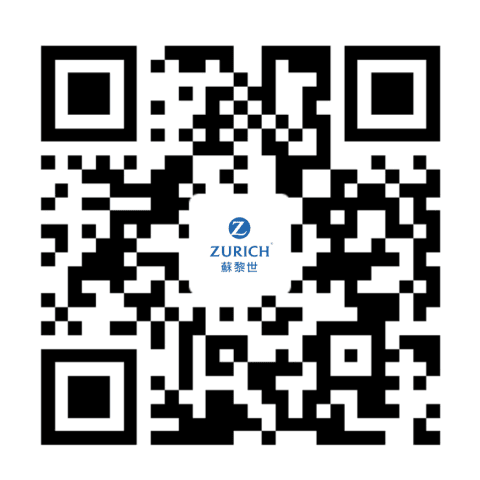
Download* ZOOM mobile app and register now!

*WeChat scanner may not be applicable. Please use the native QR code scanner of your device.

iOS
Android

The all new smart experience

With ZOOM at your fingertips, you will have full control over product information and sales process.

Download IOS version
Download Android version

*WeChat's in-app web browser may not support the download link. Please browse this page in the native browser of your device.

Complete registration in 3 simple steps

Tap "Create account" on the login page of ZOOM and fill in your user information.
1
Submit your registration by filling in your license information as well. You will receive an activation email once your registration is approved.
2
After you click the "Activate account" button in the email and follow the instruction for activation, your account will be ready for use.
3

For brokers

For brokers

Web Self-servicing Center (WSC) – your efficient all-time support

Get quick referencing on Zurich's documents from our reliable resources center.

Visit now

Frequently asked questions

Advisor
Broker

Q1: I have not received any notifications for my account registration. What should I do?

Q2: Can I log in to my account on my phone and tablet simultaneously?

Q3: What should I do if my account is locked due to too many failed login attempts? Who should I contact if I have questions about ZOOM?

Q4: Will I lose all input data if the ZOOM mobile app crushes?

Q1 answer:
It may take a few business days for our team to review and approve your registration. You will receive an email notification after our review no matter your account is successfully registered or not. If you encounter any technical difficulties, please reach out to our Distribution Support Team .
Q2 answer:
You may log in with only one device at a time. Your first device will be automatically logged out when you log in with a second device.
Q3 answer:
You may reset your password by tapping "Forgot password?" on the login page. If you have questions regarding ZOOM, please contact our Distribution Support Team .
Q4 answer:
ZOOM automatically saves input information as you tap the "Next" button and proceed to the next section. However, information input afterwards will be lost if the app crushes.

Q1: How do I request access to Zurich Web Self-service Center (WSC)?

Q2: What should I do if my account is locked due to too many failed login attempts?

Q3: Can I log in to Zurich Web Self-service Center (WSC) on a tablet and mobile phone?

Q1 answer:
If you have not accessed the online portal before, please make an access request by submitting the “Terms of business details update and online portal request form” to us. After we have reviewed and approved your request, you will receive an activation email from us. You may then activate your account on the Zurich Web Self-service Center (WSC) website. If you encounter any technical difficulties, please reach out to our Distribution Support Team .
Q2 answer:
Please visit Zurich Web Service Center and click “Forgot password?” to reset your password.
Q3 answer:
You can access our WSC on computers, tablets, and mobile phones.
I have not received any notifications for my account registration. What should I do?
It may take a few business days for our team to review and approve your registration. You will receive an email notification after our review no matter your account is successfully registered or not. If you encounter any technical difficulties, please reach out to our Distribution Support Team .
contact
For any help you need,
contact us anytime

Tel.: +852 3405 7201

Email: brokerage-support@hk.zurich.com

Monday to Friday: 9:00 a.m. - 5:30 p.m.
(Except public holidays)
Loading...